

Quick Answer
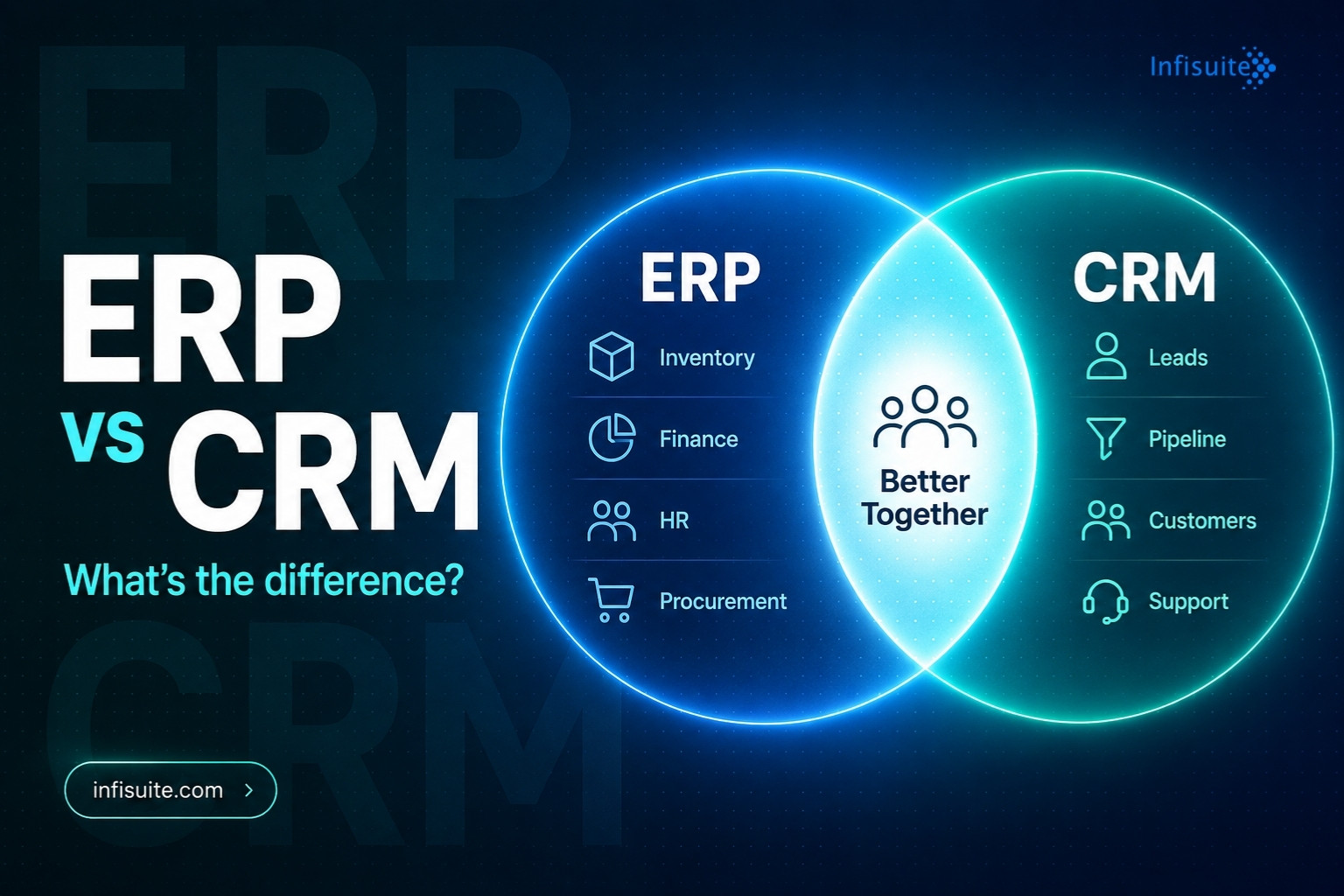
ERP and CRM are not the same, and they are not alternatives. CRM (Customer Relationship Management) manages customer-facing processes — leads, sales pipeline, and support. ERP (Enterprise Resource Planning) manages internal operations — inventory, finance, procurement, and HR. Most growing businesses need both. The real question isn’t “ERP or CRM?” but “how do they connect?” For most SMEs, an ERP platform with a built-in CRM module delivers the most value, because customer and operational data share one system in real time.
Key Takeaways
- CRM manages customers: leads, sales pipeline, customer history, and support.
- ERP manages operations: inventory, finance, procurement, sales orders, and HR.
- They are complementary, not competing: most growing businesses need both.
- Integration matters more than choice: when both share data, a closed deal flows straight into orders, stock, and invoicing.
- CRM built into ERP is best for most SMEs — it avoids the data silos that separate systems create.
If you’ve been researching business software, you’ve almost certainly seen both terms: ERP and CRM. They’re often mentioned together, sometimes confused, and occasionally treated as alternatives.
They are not alternatives. They are complementary systems with different jobs. For most growing businesses, the question isn’t “ERP or CRM?” It’s “how do ERP and CRM work together — and do I need both?”
This guide explains what each system does, where they overlap, where they differ, and how to decide what your business needs.
What Is CRM?
CRM stands for Customer Relationship Management. A CRM system manages everything related to your interactions with customers and prospects. It covers the full journey — from first contact to long-term relationship.
At its core, a CRM system helps you:
- Track leads and pipeline: follow prospects from first contact to closed deal.
- Consolidate customer history: keep every email, call note, and preference in one place.
- Automate follow-ups: set reminders so deals don’t slip through the cracks.
- Manage support cases: route customer queries to the right agent and track resolution.
CRM is a customer-facing system. Its main users are sales, marketing, and customer service teams. Its purpose is to help you win more customers, retain existing ones, and build stronger relationships.
Infisuite’s CRM module helps businesses capture, engage, and retain customers with a structured, personalised approach — improving team collaboration and ensuring timely responses across every interaction.
What Is ERP?
ERP stands for Enterprise Resource Planning. An ERP system manages the internal operational backbone of a business. It connects finance, inventory, procurement, HR, and other core functions into one integrated platform.
At its core, an ERP system helps you:
- Manage finances: accounts, invoicing, and reporting in one ledger.
- Control inventory: real-time stock levels, movements, and reorder points.
- Handle procurement: purchase orders, supplier management, and approvals.
- Run HR and payroll: employee records, payroll, and scheduling.
ERP is an operations system. Its users span every department — finance, operations, procurement, HR, and sales. Its purpose is to give you a single source of truth for operational data and automate the workflows that keep the business running.
For a full breakdown of what ERP costs and how to evaluate it, read our guide on how much ERP costs for SMEs.
ERP vs CRM: The Key Differences
Here’s how the two systems compare across the dimensions that matter most:
| Dimension | CRM | ERP |
|---|---|---|
| Primary focus | Customer relationships and sales | Internal operations and processes |
| Primary users | Sales, marketing, customer service | Finance, operations, procurement, HR |
| Core data | Customer and prospect data | Financial, inventory, operational data |
| Main purpose | Win and retain customers | Run operations efficiently |
| Key outputs | Pipeline, customer history, forecasts | Financial reports, stock levels, dashboards |
Where ERP and CRM Overlap
The line between ERP and CRM isn’t always sharp. Several areas are addressed by both systems — and this is where confusion arises.
Sales Order Management
CRM tracks leads and deals to the point of sale. ERP manages what happens after — order processing, fulfilment, invoicing, and payment. In an integrated setup, the handoff is seamless. A closed deal in CRM automatically creates a sales order in ERP.
Customer Data
Both hold customer data — but different kinds. CRM holds relationship data: contact history, communication, and deal stages. ERP holds transactional data: purchase history, payments, and delivery. In a unified system, both sit in one customer record.
Reporting and Analytics
CRM provides sales reporting: pipeline analysis, conversion rates, and forecasts. ERP provides operational reporting: financial statements, inventory, and cross-department performance. Together, they give leadership a complete picture — from top-of-funnel activity to bottom-line results.
The Problem With Running CRM and ERP Separately
Many growing businesses run a standalone CRM alongside a separate ERP — and connect them manually. This creates the kind of data fragmentation we describe in our article on how data silos destroy operational efficiency. Analysts at Gartner note that the value of customer and operational data rises sharply when it is unified rather than scattered across disconnected systems.
When CRM and ERP don’t share data, several problems appear:
- Sales makes promises the business can’t keep. A rep promises 5-day delivery — with no view of ERP inventory showing the item is out of stock.
- Finance can’t reconcile sales data. CRM revenue doesn’t match ERP invoiced revenue, because deals are recorded differently.
- Customer service works half-blind. They see relationship history in CRM, but not payment status or delivery info from ERP.
- Management gets conflicting reports. Sales reports and revenue reports tell different stories — eroding trust in the data.
This is exactly the trust problem we cover in our guide on what a single source of truth means for businesses.
Do You Need Both ERP and CRM?
For most growing businesses — yes. But the more important question is how they connect.
The ideal setup for a growing SME is an ERP platform that includes CRM as an integrated module. Customer data, sales data, and operational data then live in one system, update in real time, and stay accessible to every team.
This is how Infisuite is built. Rather than a standalone CRM that has to be reconciled with separate systems, Infisuite’s CRM module is natively integrated with sales, inventory, accounts, and procurement. The handoff from lead to order to fulfilment to invoice is seamless, automatic, and visible to every department in real time.
When a Standalone CRM Makes Sense
- Your business is very early-stage with minimal operational complexity
- Your only immediate need is sales pipeline management
- You plan to add ERP later and need a temporary solution
When Integrated ERP With CRM Makes Sense
- Your sales team needs visibility into inventory, pricing, and order status
- Finance needs sales data to flow automatically into reporting
- Customer service needs both relationship and transaction history
- Management needs a unified view — from pipeline to profit
For most businesses beyond the earliest stage, the integrated approach delivers more value than separate tools. Read our guide on why businesses struggle with too many software tools to understand why.
ERP vs CRM: Which Should You Implement First?
If you have neither system yet, the question is which to implement first. The answer depends on where your most critical pain is.
| If your biggest pain is… | Start with… |
|---|---|
| Lost leads, poor sales visibility, weak follow-up | CRM first |
| Inventory errors, reporting delays, financial chaos | ERP first |
| Both equally — and you’re growing fast | Integrated ERP + CRM |
To assess your ERP readiness, read our guide on when businesses actually need an ERP system.
Frequently Asked Questions
Can ERP replace CRM?
An ERP with a built-in CRM module can replace a standalone CRM — and for most growing SMEs, this is preferred, because it removes the data fragmentation of running two separate systems. A basic ERP without CRM functionality cannot replace a dedicated CRM.
Can CRM replace ERP?
No. CRM is built for customer-facing processes. It doesn’t manage inventory, financial accounting, procurement, or HR. CRM complements ERP — it cannot replace it.
What’s the difference between ERP and CRM in simple terms?
CRM manages your relationship with customers, helping you win and retain them. ERP manages internal operations, helping you deliver on the promises sales makes. Both matter for a growing business — the question is whether they run separately or as integrated modules on one platform.
Is it better to have CRM built into ERP or as a separate tool?
For most growing SMEs, CRM built into ERP delivers more value. Customer, sales, and operational data live on one platform, which eliminates manual reconciliation and gives every team the same real-time information.
How does Infisuite handle CRM?
Infisuite’s CRM module is natively integrated with the full ERP platform — covering sales, inventory, accounts, and procurement. Customer interactions, pipeline, orders, and financial data are all connected in real time, giving every team a unified view of each customer.
Conclusion
ERP and CRM are not competitors. Together, they give a growing business complete operational and commercial visibility — from the first customer interaction to the final financial report.
The key question isn’t whether you need both. Most growing businesses do. The key question is whether they run as separate, disconnected systems that create fragmentation, or as integrated modules on one platform that give every team a unified, real-time view.
For most SMEs, the integrated approach delivers better outcomes, lower total cost of ownership, and faster time to value than maintaining separate best-of-breed tools.
Written by Anjana A
ERP & Business Software Specialist, Infisuite
Anjana A writes about ERP, CRM, and business automation for growing SMEs. Drawing on Infisuite’s experience helping businesses unify their operations, she focuses on practical, real-world guidance for running leaner, more connected teams.
At Infisuite, our CRM is built as a native module within our Cloud ERP platform — so sales, operations, finance, and customer service all work from the same data, in real time. Talk to our team to find out more.